

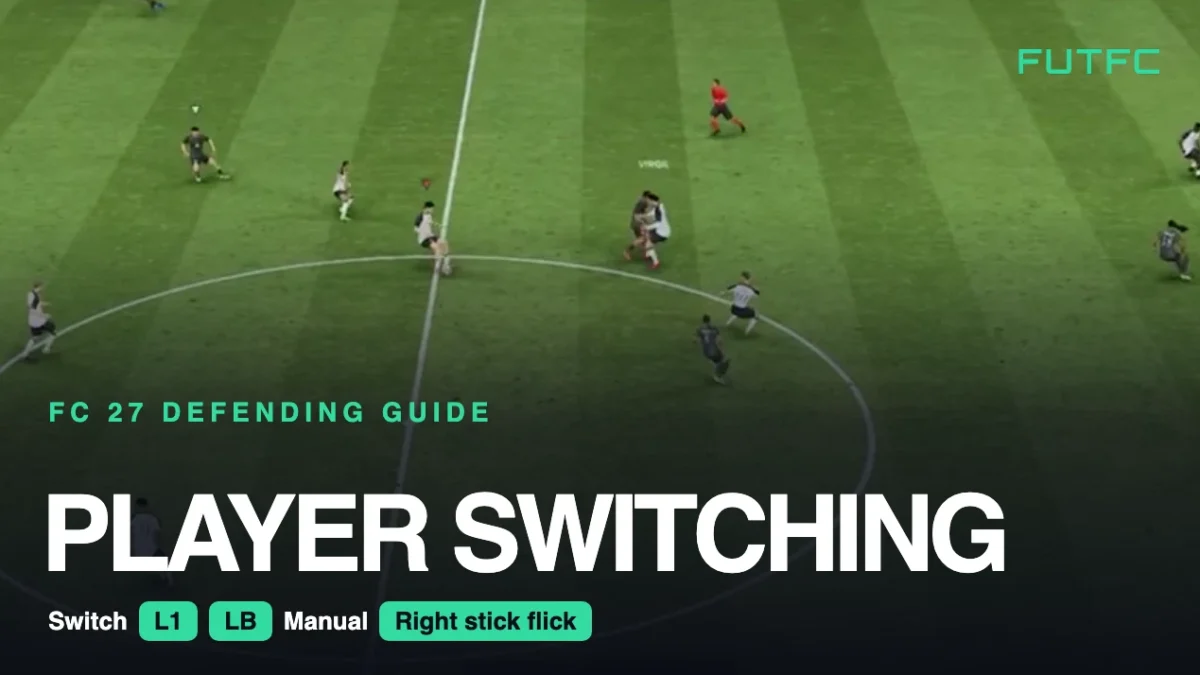
To switch players in FC 27, press L1 (LB) to jump to the next defender or flick the right stick towards the exact player you want. Do it while the pass is still travelling, because in Competitive gameplay your AI teammates no longer tackle for you.
| Action | PlayStation | Xbox / PC controller |
|---|---|---|
| Change player | L1 | LB |
| Change player (manual) | Flick right stick towards a player | Flick right stick towards a player |
| Icon switching | R3 | RS (press) |
| Who L1 picks | Settings, Game Settings: Next Player Switching | |
These are the inputs on the default Classic controller layout. On PC with a controller, use the Xbox column. On keyboard and mouse you can remap every key under Settings, Controls.
Video: “Stop Switching to the Wrong Player in FC 27!” by Deep researcher FC on YouTube.
How to switch players in FC 27
- Watch the ball, not your player. Look at where the pass is going before it is played. The switch you need is to the defender nearest that target.
- Use the right stick for a specific defender. Flick it in the direction of the player you want. A short, clean flick works better than holding the stick.
- Use L1 (LB) when the nearest defender is the right one. It is faster than aiming, and the Next Player Switching setting decides who it picks.
- Switch while the pass travels. Changing player after the attacker has controlled the ball is usually one step too late.
- Hold position for a moment after the switch. Your new player needs a beat to react. Block the passing lane first, then jockey with L2 (LT).
- Use teammate contain to cover the gap. Hold R1 (RB) to send a second player to the dribbler while you take over the next pass option.
The best player switching settings in FC 27
You find all of these in Settings, Game Settings. Change one at a time and give each a few matches before you judge it.
| Setting | Options | Good starting point |
|---|---|---|
| Next Player Switching | Classic, Goal Side, Closest to Ball | Classic. Try Closest to Ball if L1 (LB) keeps picking the wrong man |
| Right Stick Switching | Classic, Adaptive, Player Rotation | Classic (switches on a flick) |
| RS Switching Reference | Player Relative, Ball Relative | Player Relative |
| RS Switching Sensitivity | 0 to 10 | Lower it if light flicks jump to defenders far away |
| Auto Switching | Manual, Only on Loose Balls, Only on Air Balls, On Air and Loose Balls, Automatic | On Air and Loose Balls or Only on Loose Balls |
| Auto Switching Move Assistance | None, Low, High | None, so you control the player straight away |
| Next Player Switch Indicator | On, Only in Single Player, Off | On |
Guides disagree on Auto Switching. Loose Balls Only stops the game from taking you to a defender on the far side, while Air and Loose Balls also helps on crosses and long balls. Pick the one that annoys you less.

When to switch
- Before a through ball: switch to the centre back on the striker’s shoulder, not the one already beaten.
- When the ball goes wide: take the fullback or winger on that side so he can step out.
- Into midfield: switch to your CDM to block the pass into the striker. A midfielder in the right lane stops more attacks than a centre back diving in.
- On crosses: switch to the defender closest to the far post runner before the ball is struck.
Common mistakes
- Spamming L1 (LB). Every press moves you on, and you can end up on a player who is out of the play.
- Flicking the right stick too hard or too long. You skip past the defender you wanted. Short flicks are more accurate.
- Sprinting straight after a switch. Your defender leaves his position and opens the lane you just switched to close.
- Leaving Move Assistance on High. The player keeps running in the old direction for a moment, which feels like input delay.
- Only switching when the ball arrives. By then the attacker has already turned.
What changed in FC 27
- No AI auto tackles in Competitive gameplay. AI defenders hold their position, so you have to switch to the right player and win the ball yourself. That makes switching more important than in FC 26.
- Teammate contain stands further off, so you often need to switch to that player to press properly.
- Title Update 1.2.0 (Tuesday 10 November): auto switching now picks the player nearest the ball after a teammate’s slide tackle, after a headed pass and after a shot that misses the target. Your own L1 (LB) and right stick switching did not change.
| Guide | What you get |
|---|---|
| How to defend in FC 27 | The full manual defending basics: positioning, tackling and settings |
| How to jockey and tackle in FC 27 | What to do once you have switched to the right defender |
| FC 27 Title Update 1.2.0 | Smarter auto switching, firmer fullbacks and the 95 Depth change |
| FC 27 tactics | Formations and custom tactics, including how deep your back line sits |
| FC connection guide | Input delay makes every switch late, so check your connection first |
Still to come this week: defending crosses and corners and the best defensive PlayStyles, then the full FC 27 Defending Guide on Sunday.
Player switching in FC 27: FAQ
How do you switch players in FC 27?
Press L1 on PlayStation or LB on Xbox to switch to the next defender, or flick the right stick towards the exact player you want. Press R3 (RS) for icon switching.
What are the best player switching settings in FC 27?
A good start is Next Player Switching on Classic, Right Stick Switching on Classic with Player Relative, Auto Switching on Air and Loose Balls or Loose Balls Only, and Auto Switching Move Assistance on None.
What does Auto Switching Move Assistance do?
It keeps a player the game has auto switched you to running in his current direction for a short time. Set it to None if you want full control the moment you take over a defender.
Sources: EA FC 27 Gameplay Deep Dive and the Title Update 1.2.0 notes, with the controls and settings checked against several independent FC 27 guides.
Comments