

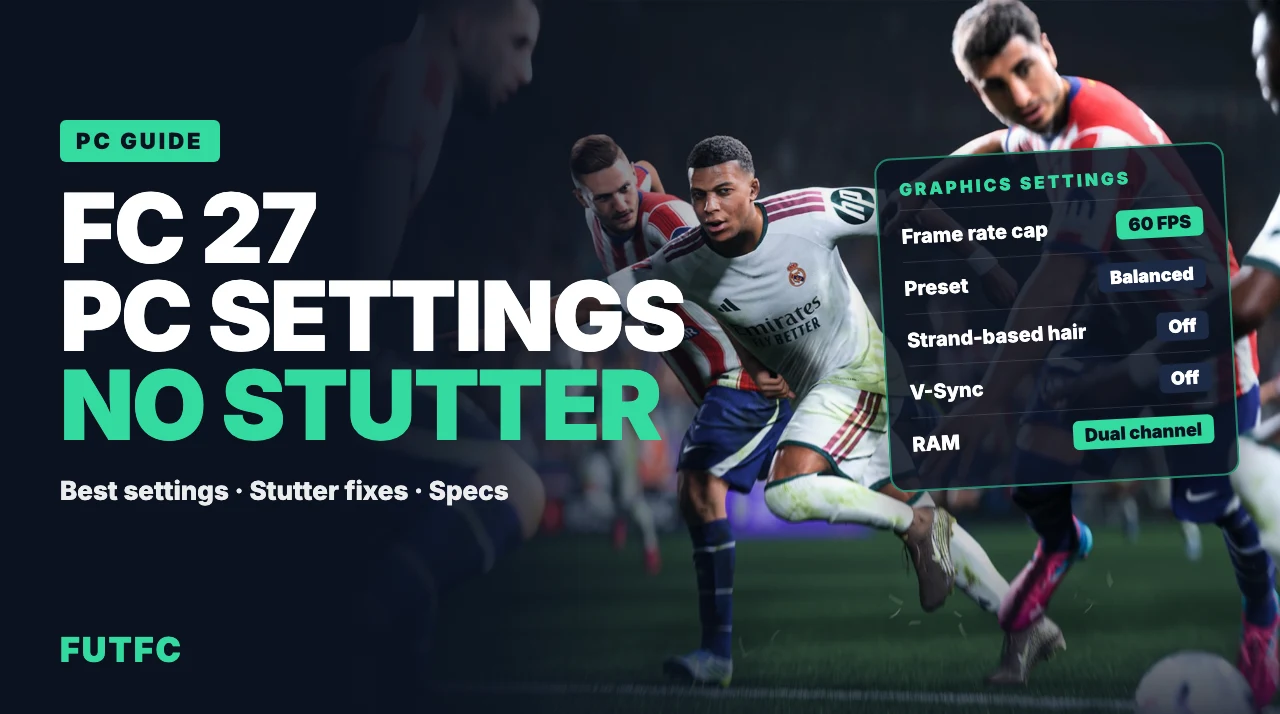
For max FPS in FC 27 on PC, start from the Performance or Balanced preset, play in Fullscreen with a 60 FPS cap and V-Sync off, and turn Strand Based Hair off, Rendering Quality to Medium and Crowd and Grass Quality to Low. Leave Enhanced Ultra Visuals off and keep the VRAM indicator below your card’s limit.
| Setting | Set it to | Why |
|---|---|---|
| Graphics preset | Balanced (Performance on older PCs) | A stable base to tweak from |
| Enhanced Ultra Visuals | Off | Only for high end PCs, off by default |
| Display mode | Fullscreen | Fewer frame drops than windowed |
| Frame rate cap | 60 FPS (higher only if it never drops) | A steady 60 feels better than 90 that jumps around |
| V-Sync | Off | Can add input lag, use G-Sync or FreeSync instead |
| Strand Based Hair | Off | Heavy on the GPU for little visual gain |
| Rendering Quality | Medium | The heaviest single setting |
| Crowd and Grass Quality | Low | Barely visible during play |
Updated: 19 November 2026. These are starting points, not benchmarks. Every PC is different, so change one setting at a time and play a Kick-Off match after each change.
Want more futfc.gg in your Google results?
Add to Preferred SourcesHow to set up FC 27 for max FPS
- Open Settings, then Graphics from the main menu.
- Pick a preset first. Balanced on a mid range PC, Performance on an older one.
- Keep Enhanced Ultra Visuals off. These options go beyond Ultra and are meant for high end hardware.
- Set Display Mode to Fullscreen and the resolution to your monitor’s native resolution.
- Cap the frame rate at 60 FPS and turn V-Sync off.
- Lower the heavy settings from the table below, starting with Strand Based Hair and Rendering Quality.
- Watch the VRAM indicator. If the bar is near your card’s maximum, lower textures and Rendering Quality until it is comfortably under.
- Play an offline match and only raise settings again if the game never drops below your cap.
Every FC 27 graphics setting: what to pick
| Setting | Recommended | Why |
|---|---|---|
| Dynamic Resolution | Off, or On with a 60 FPS target | Turn on only if you get big drops in busy scenes |
| Rendering Quality | Medium (Low on weak GPUs) | The biggest FPS gain of any single setting |
| Strand Based Hair | Off | Simulates single hairs, a heavy GPU load |
| Crowd Quality | Low | You rarely see the crowd with a gameplay camera |
| Grass Quality | Low | Small difference with the standard camera |
| Cloth Physics | Low or Off | Saves CPU in busy scenes |
| Motion Blur | Off | Clearer picture and slightly more FPS |
| Cutscene Quality | Lower than gameplay | Saves performance where it does not affect play |
For online play, steady frametimes matter far more than extra grass or crowd detail. Spend your performance on a locked 60 FPS first, then on looks. A good camera setup also helps more than any graphics option.

How to fix FC 27 stuttering: EA’s six steps
EA lists three signs of a PC performance problem: delayed inputs even offline, slow motion gameplay even when your average FPS looks fine, and regular stutters or frametime spikes. If a match in Squad Battles or Kick-Off stutters too, it is your PC. If it only happens online, check our FC 27 server status page and the connection guide instead.
- Lower your frame rate cap. Try 30 FPS as a test. If the stutter disappears, your PC cannot hold 60 steadily, so lower your graphics instead to get back to 60.
- Lower your graphics settings and resolution. Start with the preset, then the heavy settings above.
- Close background apps. Browsers, Discord, overlays, recording tools and extra launchers all take CPU, GPU or memory.
- Check that your RAM runs in dual channel. The most overlooked fix, see below.
- Update your GPU driver from NVIDIA, AMD or Intel.
- Check your power settings. Set Windows to Best performance, keep laptops plugged in and in performance mode.
A tip from the EA forums: several players found that a frame cap set in the NVIDIA or AMD control panel, with in-game V-Sync off, works better than the in-game cap alone. Worth testing if the first two steps do not fully fix it.
Dual-channel RAM: the hidden cause of stutter
EA lists dual-channel memory in the FC 27 requirements, from 2×4 GB at minimum up to 2×16 GB for Ultra. Many prebuilt PCs and laptops ship with one RAM stick, which runs in single channel and can cause poor performance and stutter according to EA.
- Task Manager > Performance > Memory: “Slots used: 1 of 2” usually means single channel.
- CPU-Z, Memory tab: shows “Channel #: Dual” or “Single”.
- Two sticks? Check your motherboard manual that they sit in the right slots (often slot 2 and 4).
FC 27 PC system requirements
| Minimum | Recommended | |
|---|---|---|
| OS | Windows 10/11 64-bit | Windows 10/11 64-bit |
| CPU (AMD) | Ryzen 5 1600 | Ryzen 7 2700X |
| CPU (Intel) | Core i5-6600K | Core i7-6700 |
| RAM | 8 GB DDR4, dual channel | 12 GB, dual channel |
| GPU (AMD) | RX 570 | RX 5600 XT |
| GPU (NVIDIA) | GTX 1050 Ti | GTX 1660 |
| DirectX | 12 | 12 |
| Storage | 100 GB | 100 GB SSD |
EA’s new High and Ultra spec presets target at least 80 FPS and 120 FPS on the hardware EA lists for them. An SSD is recommended, a hard drive is only supported at minimum spec and causes stutter when stadiums and menus load.
Common mistakes
- Chasing the highest FPS number. A cap your PC holds in every match beats a higher one that drops.
- Ignoring the VRAM bar. A full VRAM buffer stutters on any GPU.
- Judging the first match after an update. Shaders rebuild after a new driver or patch, so give it a full match.
- Blaming the PC for online lag. If offline matches are smooth, the problem is your connection or the servers.
- Running overlays. Turn off Discord, Steam, NVIDIA, AMD and MSI Afterburner overlays one at a time.
What changed in FC 27
- New presets: Performance and Balanced, plus High and Ultra spec presets with FPS targets.
- Enhanced Ultra Visuals: options beyond Ultra, off by default.
- VRAM indicator: estimates your maximum video memory use while you change settings.
- Faster Steam launch: fewer windows and loading steps, with launch times around 50% faster in some of EA’s tests.
- New keyboard layouts: choose WASD or Arrow Keys, with extra shortcuts for tactics.
| Guide | What you get |
|---|---|
| FC 27 Settings Guide | Every setting in one place: the full hub |
| Best FC 27 controller settings | Passing, switching and the Competitive Master Switch |
| Best FC 27 camera settings | Height, Zoom and the best camera |
| FC connection guide | How to cut lag and input delay |
| FC 27 server status | Check if EA’s servers are down |
| FC 27 tactics | Formations and custom tactics |
FC 27 PC settings: FAQ
Why is my FPS low in matches but fine in menus?
Matches load players, crowds, grass and hair that menus do not, so they need far more GPU and memory. Cap the game at 60 FPS, turn Strand Based Hair off, set Rendering Quality to Medium and check the VRAM indicator and dual-channel RAM.
Why is FC 27 so laggy on PC?
Play an offline match first. If it stutters there too, it is your PC: follow EA’s six steps above. If it is only online, it is your connection or the servers, so check the server status page and our connection guide.
What are the minimum PC requirements for FC 27?
A Ryzen 5 1600 or Core i5-6600K, 8 GB of dual-channel DDR4 RAM, an RX 570 or GTX 1050 Ti, DirectX 12 and 100 GB of storage. EA recommends a Ryzen 7 2700X or Core i7-6700, 12 GB RAM, an RX 5600 XT or GTX 1660 and an SSD.
Sources: EA FC 27 PC Deep Dive, EA Help: PC performance troubleshooting, EA: FC 27 system requirements, the EA Forums and several independent FC 27 PC settings guides.

Comments